Delete/ amend/ replace wet signature share certificates
Can I update wet signature share certificates on Kudocs? Yes. If you generate wet signature share certificates using Kudocs, this will create an entry in the share certificate register. Once the share certificate has been signed (off line – as it is a wet signature) you can then edit the share certificate entry in Kudocs to show this. You can also remove the unsigned wet signature certificate so you can replace it with your signed copy.
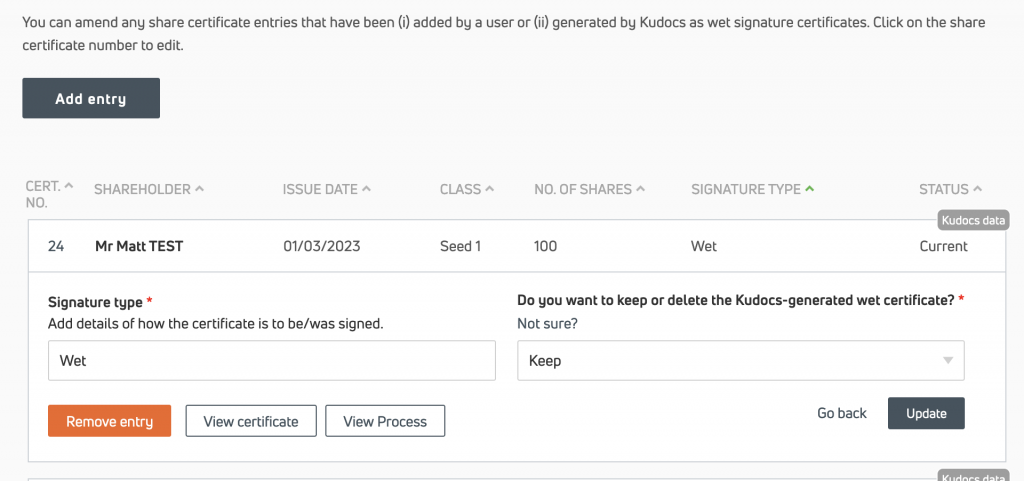
Can I delete unsigned wet signature share certificates on Kudocs? Yes. You can remove the wet signature pdf from Kudocs once generated. You can do this via the share certificate register (click on “Remove entry”) and it will remove the pdf from the register, the shareholder page and the shareholder’s folder in the document store.
The pdf will however remain in the process where it was first generated (e.g. the share issue) as a record of what was generated at the time the process was added to Kudocs and in case you need the original in the future.

Can I update information about wet signatures share certificates on Kudocs – e.g. once they are signed off line? Yes, you can edit this information easily via the share certificate register – e.g. to record that the particular certificate was signed electronically by some other method.
Can I upload signed wet signature share certificates? Yes. If you have an updated certificate (e.g. that has been signed off-system) you can upload it to the relevant shareholder’s page so that it tallies with the share certificate register.
Last updated: 29/07/2026 by Kudocs Admin