Re-issue share certificates (multiple shareholders)
This is a short guide on how to re-issue share certificates for multiple existing shareholder at once, using Kudocs
You may want to do this if the existing certificates contain out of date information (e.g. the shareholder has changed name or address), or to consolidate multiple share certificates into single certificates. You can also use this process if there are shareholders with different payment statuses (e.g. if there are fully paid, partly paid and unpaid shares).
If you want to re-issue share certificates for an individual shareholder see here.
Last updated: 28/04/2026 by Kudocs Admin
Kudocs simplifies company management for business owners & professional advisers
Keep control of your corporate information: registers, documents, stakeholders, Companies House filings - accurate & available in seconds.
You can re-issue share certificates for any current shareholders in Kudocs
Use this tool to re-issue multiple share certificates to some or all shareholders in a particular class. You can use our electronic signature tool to make it easy for company signatories to sign all the certificates in one go - saving potentially hours of work. Our record to date is 450 new certificates in 2 mins.
Step 1
Go to Actions > All Actions and select "Re-issue share certificates (multiple shareholders)”
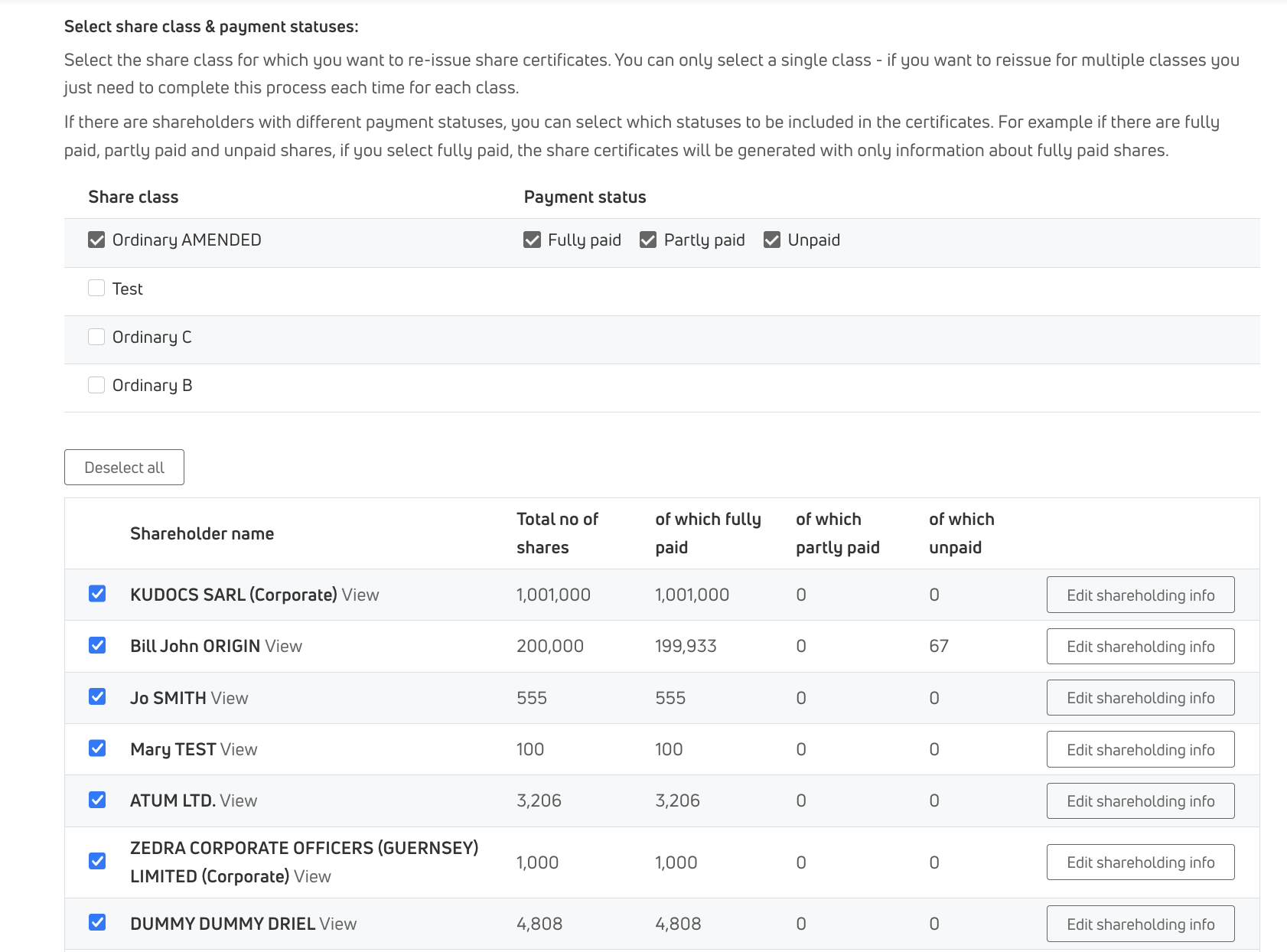
Step 3
Select the shareholders for whom you want to re-issue certificates
Step 4
Select how you want the certificates signed (electronic or wet) and if you want signed certificates sent to the shareholder
Step 5
The signed certificates will be stored on the shareholder's page, and sent to the shareholder (if selected)
Outputs - all handled automatically by Kudocs
- New, consolidated, share certificate(s) generated automatically
- Any prior certificates in Kudocs are cancelled automatically
- New share certificates sent to shareholders (if selected) and stored on shareholders’ pages
- Full audit history in Kudocs (including a share certificate re-issue process for future reference)